This guide covers what actually matters when choosing an LED display for worship, and where we see churches waste money or end up with screens that don’t work for their space.
Why Churches Are Switching from Projectors
The short version: projectors struggle with light.
Most sanctuaries have windows — stained glass, skylights, clerestory windows. Even “dim” stage lighting spills enough ambient light to wash out a projected image. Churches end up in an arms race: brighter projectors, better screens, more light control. It gets expensive and still looks mediocre.
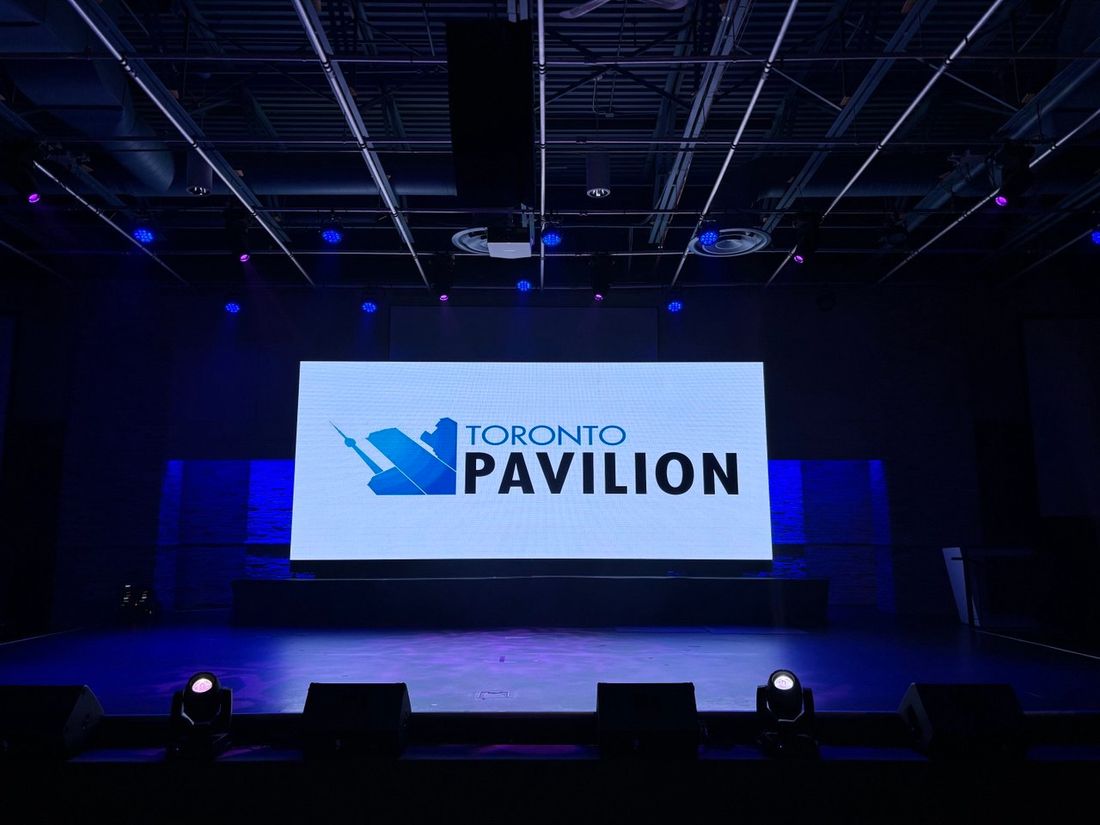
LED walls are self-emissive. They generate their own light instead of reflecting it. A 1,500-nit LED wall stays punchy and readable even with morning sun coming through windows. That’s the main reason churches are making the switch.
The secondary reasons: no lamp replacements, no hot spots, consistent brightness across the screen, and viewing angles that work for wide sanctuaries where people sit off-center.
Pixel Pitch: The Spec That Matters Most
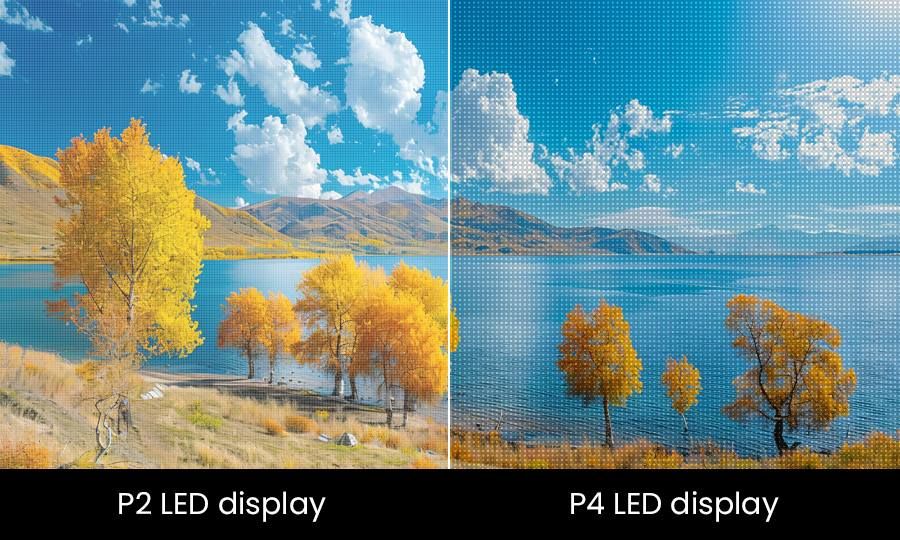
Pixel pitch is the distance between LED pixels, measured in millimeters. P2.6 means 2.6mm spacing. Smaller number = more pixels = sharper image = higher cost.
The practical rule: your minimum viewing distance in meters roughly equals the pixel pitch number. A P2.6 screen looks sharp from about 2.5–3 meters (8–10 feet). A P3.9 screen is designed for 4+ meters (13+ feet).
| Pixel Pitch | Min. Viewing Distance | Typical Church Use |
|---|---|---|
| P1.9 | ~2 m (6 ft) | Small chapels, very close seating |
| P2.6 | ~2.5–3 m (8–10 ft) | Most churches, lyrics + video |
| P2.9 | ~3 m (10 ft) | Medium-large sanctuaries |
| P3.9 | ~4 m (13 ft) | Large churches, IMAG from distance |
| P4.8 | ~5 m+ (16 ft) | Very large venues, budget priority |
The Most Common Mistake
Churches buy finer pixel pitch than they need. We’ve seen P1.5 screens installed in sanctuaries where the front row is 25 feet from the screen. Nobody sitting that far can perceive the difference between P1.5 and P2.9 — but the church paid 3x more.
Measure your actual closest seating distance. That’s your minimum viewing distance. Pick the largest pixel pitch that works for that distance.
For most churches with front rows 15–25 feet from the screen, P2.6 or P2.9 is the sweet spot. Save money and put it toward a larger screen or better processing.
Brightness: How Much Do You Need?
LED brightness is measured in nits. More nits = brighter screen = more visible in ambient light.
800–1,200 nits: Works in fully controlled, dim environments. Fine for a black-box worship space with no windows.
1,500–2,000 nits: Handles moderate ambient light. Good for most churches with some window light.
2,500–3,500 nits: Bright enough for rooms with significant windows or skylights. Handles morning services with sun streaming in.
4,000+ nits: Outdoor-rated panels. Overkill for indoor use unless you have a wall of south-facing windows.
Most churches should target 1,500–2,000 nits minimum. If you have a lot of glass or can’t control lighting, go higher. There’s no downside to extra brightness — you can always dim it down — except power consumption.
Refresh Rate: Critical If You Livestream
Refresh rate is how many times per second the display updates, measured in Hz. This spec is often overlooked, but it matters a lot if you record or stream services.
Low refresh rate panels (1,920 Hz or below) show visible scan lines and banding on camera. Your livestream looks terrible. Phone videos from the congregation show flickering bars across the screen.
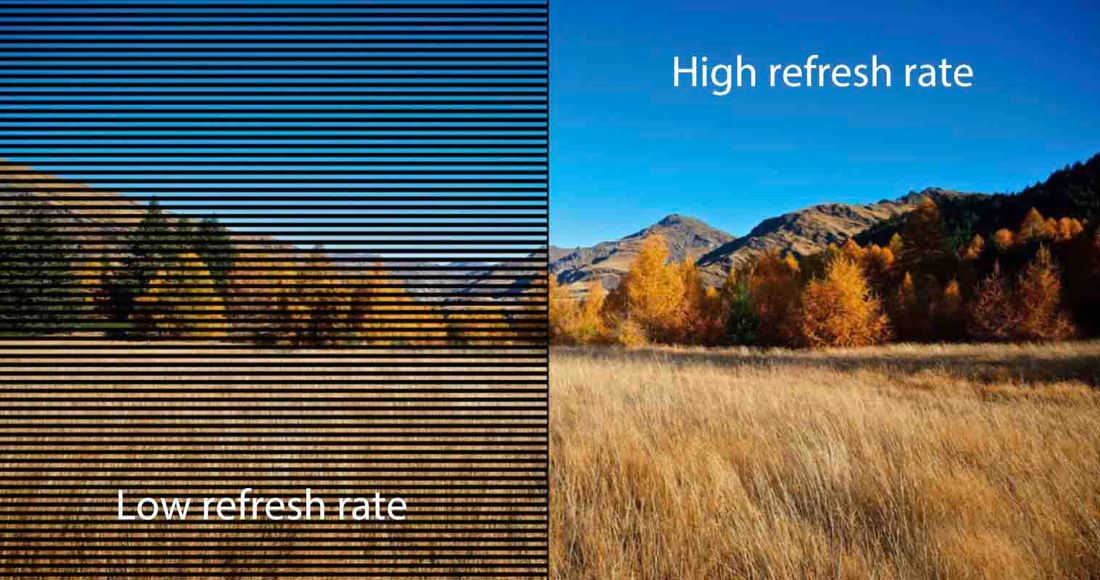
If you livestream or record, insist on 5,000 Hz+ refresh rate. Many budget panels run 1,920 Hz and vendors don’t always volunteer this information. Ask specifically.
For churches without video recording, 3,840 Hz minimum is acceptable — the human eye doesn’t notice the difference in person.
Screen Size: How Big Should It Be?
General rule: screen height should be roughly 1/6 to 1/8 of the distance to your back row.
- Back row at 60 feet → screen height of 7.5–10 feet
- Back row at 100 feet → screen height of 12–16 feet
This ensures text is readable from the back. For IMAG (live camera feeds of the pastor), you can go a bit smaller since people are mainly watching the person on stage.
Aspect Ratio
16:9 is standard. It matches cameras, YouTube content, and modern worship software. Unless you have a specific reason for something else, go 16:9.
Some churches use ultra-wide configurations (like 32:9) to show lyrics on one side and video on the other. This works but adds complexity to content creation and operation.
Single Screen vs. Multiple Screens
Single center screen: Simple to operate, creates a focal point, lowest cost. Works well for smaller to mid-size churches.
Dual side screens: Better sightlines (nothing blocking the stage center), allows independent content (lyrics left, camera right). Common in larger churches.
Triple (center + sides): Maximum flexibility but most complex. Center handles video/IMAG, sides handle lyrics. Requires more processing power and operator skill.
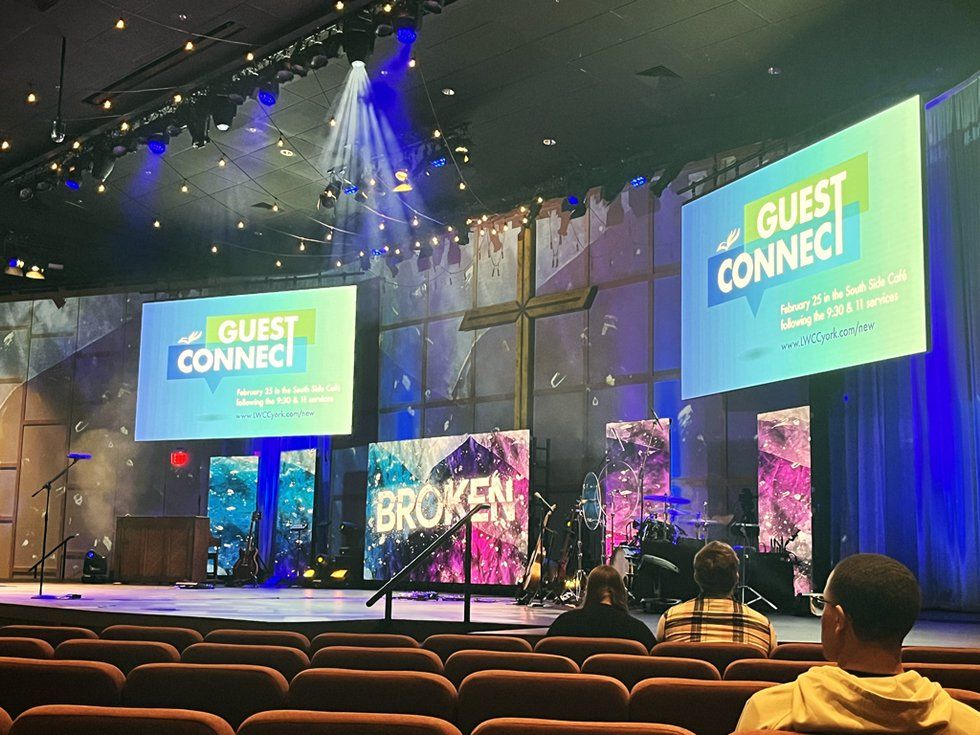
We generally recommend starting with one or two screens. You can always add more later if needed.
Mounting: Front-Service vs. Rear-Service
This is an installation detail that catches churches off guard.
Front-service panels: Individual modules pop out from the front of the screen. A technician can stand on a ladder in the sanctuary and swap a failed module.
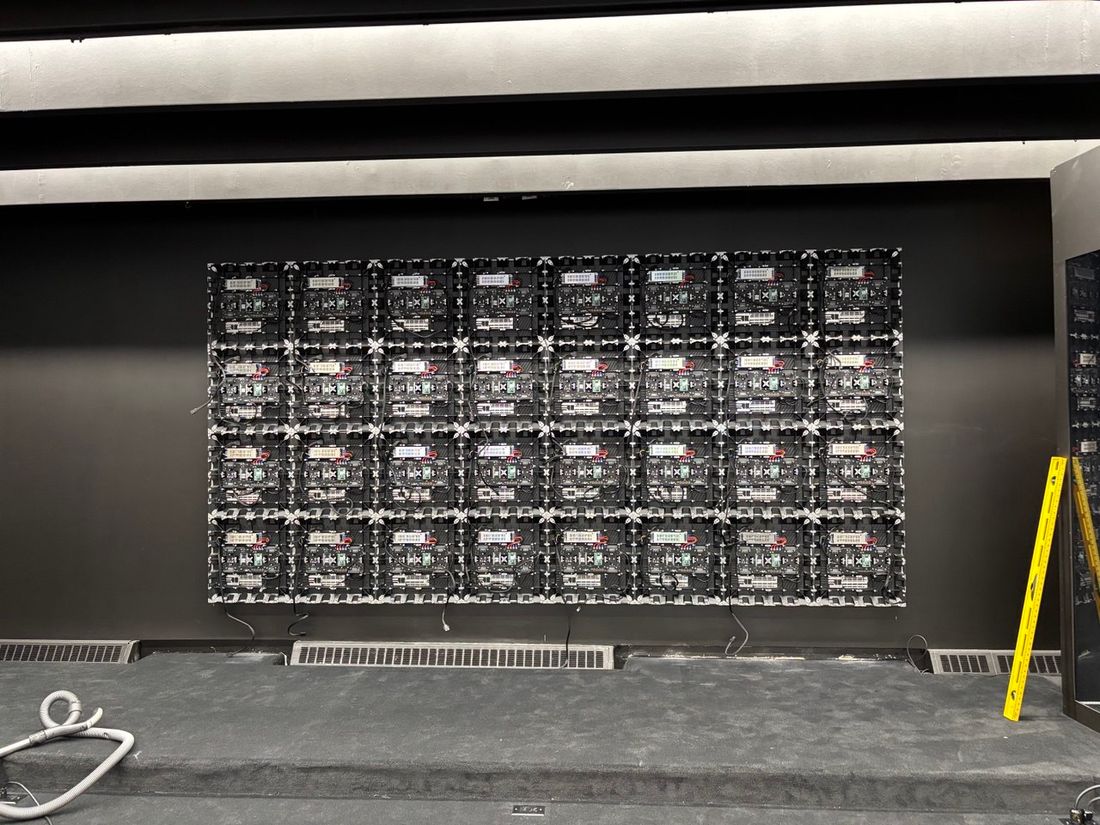
Rear-service panels: Access from behind. Requires 2–3 feet of clearance behind the wall, meaning you need a dedicated space or cavity.
If your LED wall will be flush-mounted against a wall with no backstage access, you need front-service panels. They cost a bit more but save you from cutting holes in walls when something needs repair.
Most churches should specify front-service.
Mounting Options
Ground-supported: Panels stack on a floor-mounted frame or truss towers. Easy to adjust or relocate. Works for portable setups or stages where you might reconfigure.
Wall-mounted: Direct to structural wall via brackets. Clean, permanent look. Requires structural assessment to ensure the wall can handle the weight (LED panels run 25–40 lbs per square foot assembled).
Flown/rigged: Suspended from ceiling structure. Professional rigging required. Good for high-ceiling sanctuaries where you want the screen elevated.
Processing and Control
The video processor is the brain of your LED system. It takes inputs (computers, cameras, media players) and sends the signal to the LED wall.
For most churches, a mid-range processor like the Novastar VX4S or VX6S handles the job. These run $1,500–$4,000 and support basic input switching, scaling, and brightness control.
Larger churches with multiple screens or complex routing might need something more capable — Novastar H-series, Brompton, or Analog Way products in the $8,000–$25,000 range.
Your worship software (ProPresenter, EasyWorship, MediaShout) outputs HDMI or SDI to the processor. Make sure your processor has the right input types.
Power and Installation
LED walls draw significant power. A rough estimate: 400–600 watts per square meter at typical worship brightness levels.
A 20-square-meter wall might draw 8,000–12,000 watts at full white. That’s 2–3 dedicated 20-amp circuits. Most churches need some electrical work during installation.
Other installation considerations:
- Cooling: LED panels generate heat. Wall-mounted screens need 4+ inches of air gap behind them.
- Cabling: Cat6 Ethernet from processor to panels, usually daisy-chained. Runs up to 100 meters.
- Structure: Wall-mounted installations need structural assessment. The wall has to handle the load.
Common Church Mistakes
Buying too fine a pixel pitch. Measure your closest viewing distance. Don’t pay for resolution nobody can see.
Ignoring refresh rate. If you stream, you need 5,000 Hz+. Ask before you buy.
Forgetting about front-service access. If there’s no room behind the screen, you need front-service panels.
Undersizing the screen. Congregations often report “we wish we’d gone bigger.” When in doubt, size up.
Cheap processing. A $500 processor might work initially but causes headaches with input switching, color accuracy, and reliability. Budget $2,000–$4,000 minimum.
No backup plan. LED walls are reliable but not invincible. Have a backup input source configured. Keep spare modules if buying a permanent installation.
Budget Reality
LED wall pricing varies significantly based on pixel pitch, quality, and installation complexity. Rough ranges for 2026:
| Configuration | Typical Range |
|---|---|
| Small (10×6 ft, P2.9) | $18,000–$30,000 |
| Medium (16×9 ft, P2.9) | $40,000–$65,000 |
| Large (24×13 ft, P2.9) | $80,000–$130,000 |
These include panels, processor, and basic installation. Structural work, electrical upgrades, and complex rigging add cost.
For one-time events or trial runs, rental makes more sense. Permanent installation makes sense when you’re using it weekly and committing for 5+ years.
Questions to Ask Your Vendor
- What pixel pitch do you recommend for our closest viewing distance?
- What is the refresh rate? (Get the specific number)
- Is this front-service or rear-service?
- What processor is included? What inputs does it have?
- What’s the warranty? How is service handled?
- Can you provide references from similar church installations?
- Will you calibrate on-site after installation?
- What training is included for our tech team?
The Bottom Line
A well-chosen LED wall transforms worship visibility and eliminates the projector headaches churches have dealt with for years. The key is matching the specifications to your actual space: measure your viewing distances, assess your ambient light, determine if you’re streaming, and size the screen appropriately.
Avoid the temptation to over-spec. The goal is the right screen for your sanctuary, not the most impressive spec sheet.
Planning an LED installation for your church? We offer free site assessments to help you determine the right configuration for your space and budget.